![0224_Surepact_Logo-Primary-1.png]](https://support.surepact.com/hs-fs/hubfs/0224_Surepact_Logo-Primary-1.png?height=43&name=0224_Surepact_Logo-Primary-1.png)
Note: This page is useful for Customer Admins only
When a Funding Body wants to include External Assessors in their review process, Assessors are required to be added to the tenancy.
Once an Assessor is created in the tenancy, they will be able to set their login details, then access a limited view of the tenancy and perform their actions.
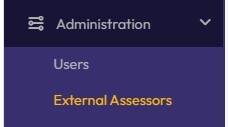
To get create an External Assessor account, open Administration and choose External Assessors.
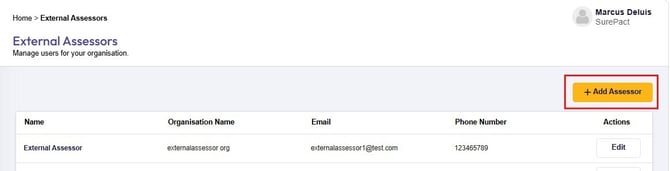
In the External Assessors screen, select Add Assessor.
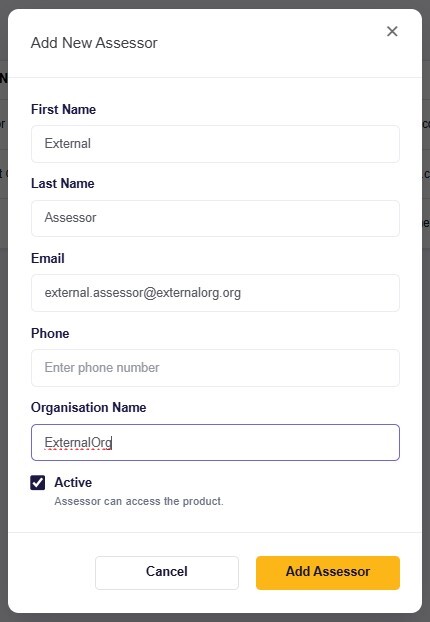
Complete all required fields, and other fields whose details are available. Scroll to the bottom and click Add Assessor.
The new Assessor is added to the list. Double-clicking the Assessor name opens a popup where you can edit their details.
Once the External Assessor account is created, they will need to know the website for the Funding Body's SurePact tenancy (eg. sunnyacres.surepact.com) in order to reset their password and log in.