
With the Funding Opportunity closed and all Applicants receiving their approval/rejection for funding, approved Applicants become known as Recipients.
As a Recipient, a Funding Body would require some form of agreement, or terms, for the funding to be awarded and what outcomes are expected of Recipients to demonstrate effective spending of the awarded funds.
When the Funding Body has prepared a Funding Agreement and submitted it to a Recipient, a notification email will be sent to the Recipient to view the agreement in SurePact.
Viewing the Funding Agreement
Recipients select the Login button in the notification email (or login to SurePact), select their Application to then view the Funding Agreement stage -

Once the Recipient has read the content of the agreement, and ensured they understand the terms and conditions of receiving funds, they can accept the agreement.
💡NOTE: Recipients can choose to not accept an agreement, therefore, it is useful to include Funding Body contact details for Recipients to reach out to and discuss any issues they may have with the agreement.
Completing the Funding Agreement
Depending on the agreement content, the Recipient may be required to enter specific values, signatures, or checks -
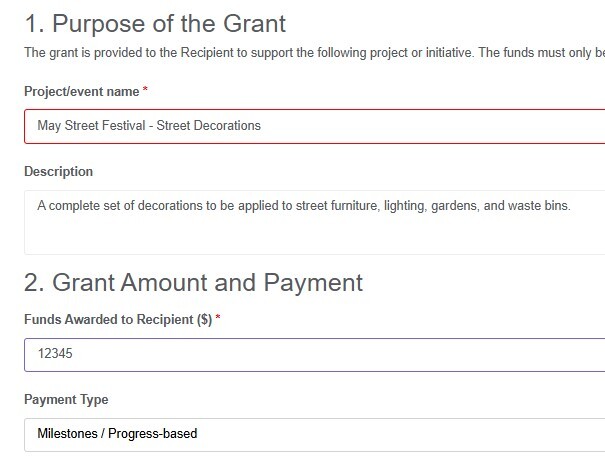
- and without these required fields completed (indicated with red box borders and asterisks), the agreement is not finalised and cannot be submitted to the Funding Body.
Once all fields are complete, select Accept Agreement to send the agreement to the Funding Body.
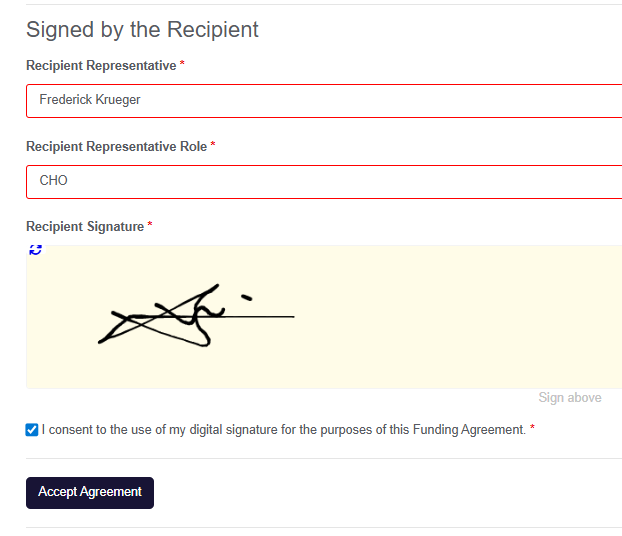
The signed/accepted agreement is always available in the stage for reference and printing.
✍️NOTE: SurePact currently serves a drawn signature field in Funding Agreements. This requires users to draw their signature using their mouse and cursor, with an alternate method available with touchscreen-enabled devices and physically drawing their signature (for example, using their finger or digital pen).