![0224_Surepact_Logo-Primary-1.png]](https://support.surepact.com/hs-fs/hubfs/0224_Surepact_Logo-Primary-1.png?height=43&name=0224_Surepact_Logo-Primary-1.png)
Note: This step is completed by any team member with Approver role.
The allocation assigned to each applicant by the Program Manager can be approved (or rejected) by a team member with Approver role. Roles are assigned when creating the funding program.
Note: Unlike with applications and the Assessment Panel approval, in which all Assessment Panel members must weigh in, only one approval is required for this step. If there are multiple team members with Approver role, approval can be completed by any approver.
There are several ways an approver can access this task:
- When an allocation approval is requested, you will receive an email notification. Click the link in the email to go straight to the approval stage in your SurePact account.
- When an allocation approval is requested, the relevant task will be listed in your Tasks widget (as well as Tasks (main menu option)).
- Open your Funding Programs summary and double-click the related funding program.
The current stage will be Recipient Allocation. Applicants with an allocation assigned by the Program Manager will have Pending Approval status.
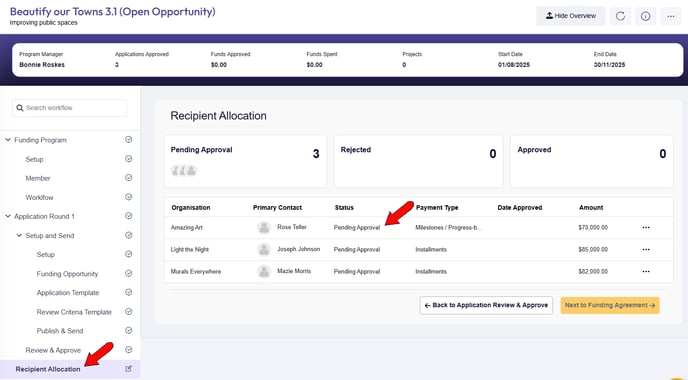
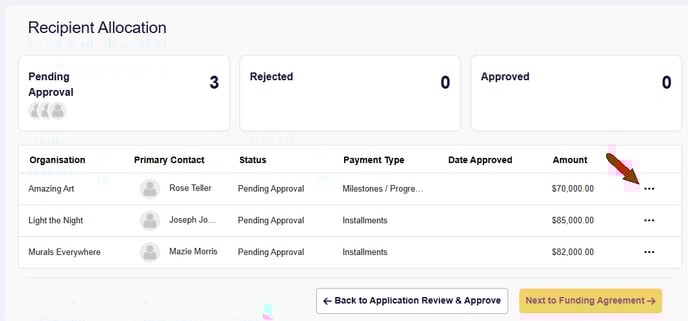
To complete the approval for an applicant whose allocation approval is pending, click the organisation’s Action icon and select View.
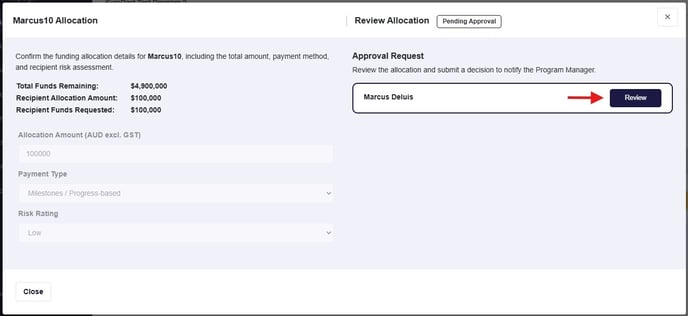
You will see the allocation details and a Review panel for you to select to open, enter any comments, and select a Reject or Approve decision.
🔎NOTE: If you reject the allocation, the Program Manager will be notified to review the allocation details according to your comments.
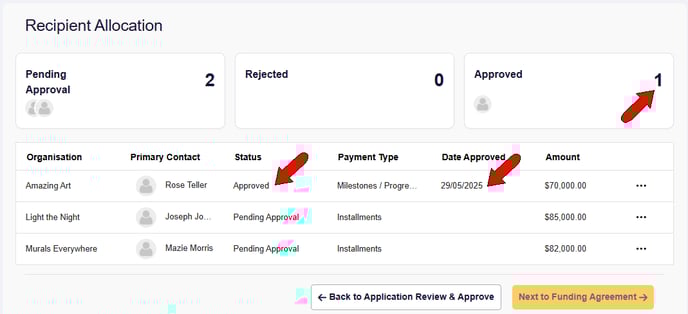
This updates the status of the allocation to Approved, adds the approval date, and updates the count above the table.
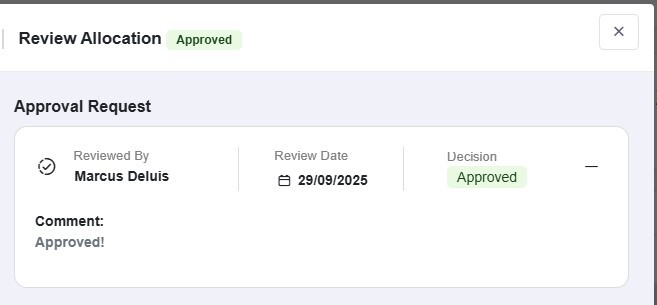
If you View the allocation again, you’ll see your input and decision.
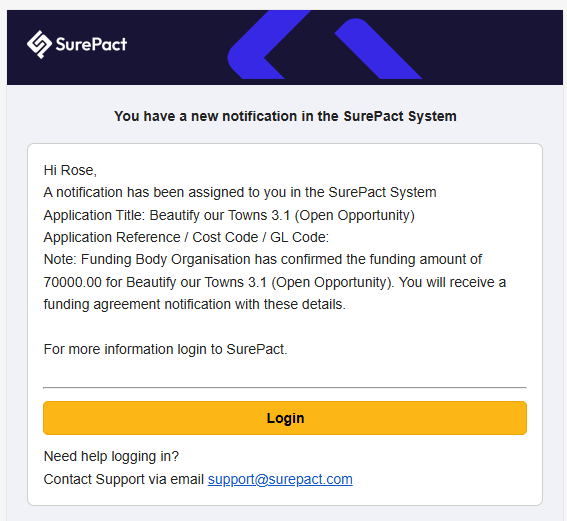
Upon allocation approval, the Recipient is emailed with the news, including the approved amount, and told to look out for the next step: Funding Agreement.
For any rejection of allocations, take a look at this article.