![0224_Surepact_Logo-Primary-1.png]](https://support.surepact.com/hs-fs/hubfs/0224_Surepact_Logo-Primary-1.png?height=43&name=0224_Surepact_Logo-Primary-1.png)
Note: To access the Application Portal to view opportunities and applications, go to https://applications.surepact.com/login and enter your registered email and password.
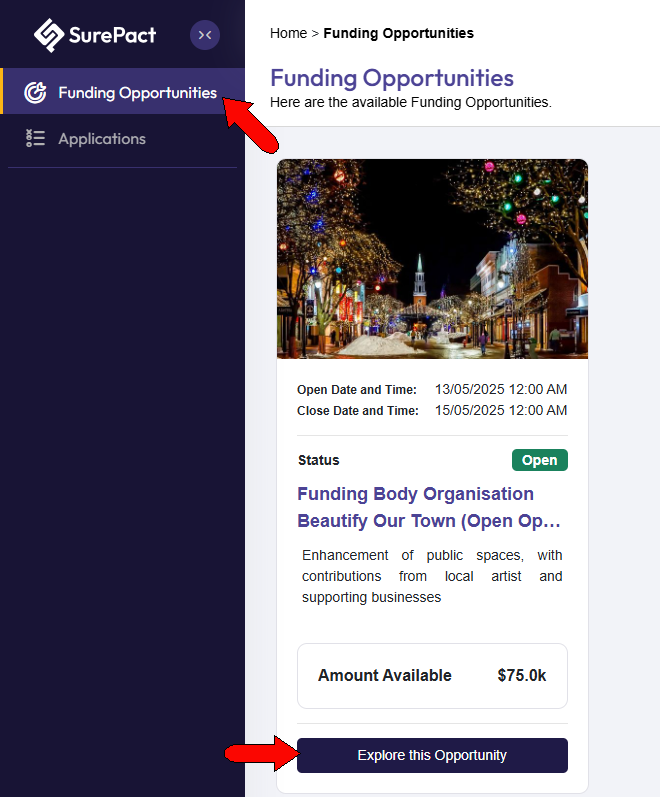
After accessing a funding opportunity, and signing into or creating your SurePact account, open the Funding Opportunities page. This page lists all funding opportunities to which you have access.
Find the funding opportunity you want to apply for, and click Explore this Opportunity.
Important: Depending on how the funding body has setup their program, Funding Opportunities in the Application Portal will display an action button stating either:
-
Explore this Opportunity, or,
-
Go to Application
Explore this Opportunity means you may be able to create multiple application submissions for the one funding opportunity (or you are viewing it for the first time and can start an application). Selecting the Apply button is what creates a new application.
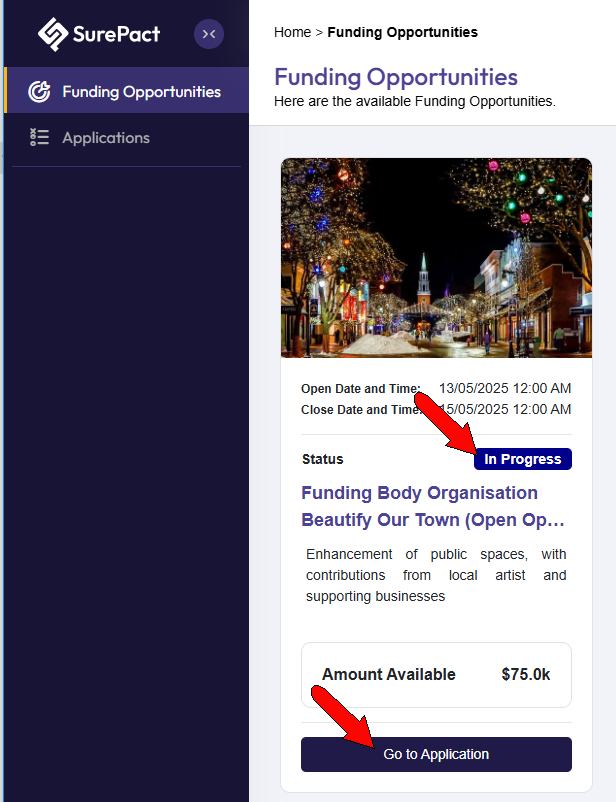
Go to Application recognises you already have started a single application and can take you straight to it to continue progress.
Read over the funding program details, then scroll down and click Apply.
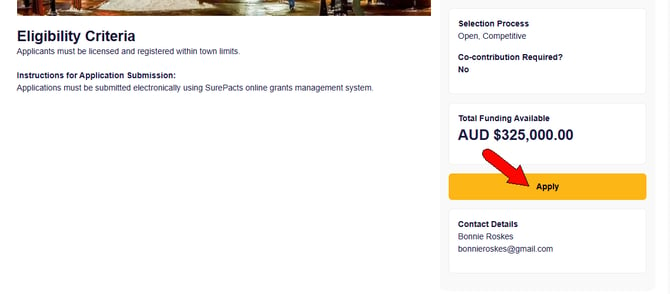
This officially starts the application process, and two things occur.
- On the Funding Opportunities page, the opportunity will be listed as In Progress. There is also a button to Go to Application.
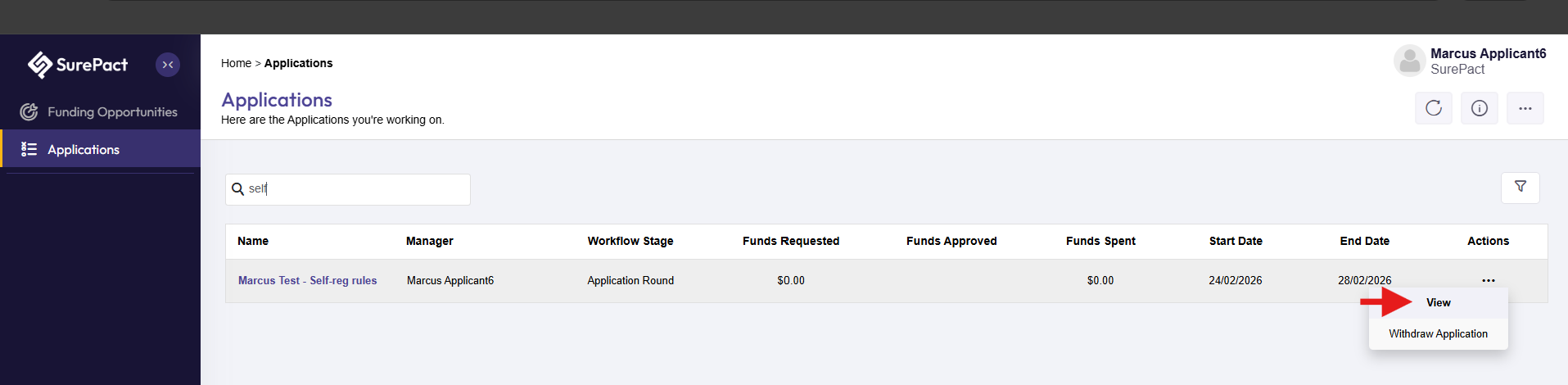
- Your application will be listed on the Applications page, with application open and closed dates. Clicking the Action icon opens a menu with options to View (open) the application, or Withdraw Application. Double-clicking any application field is another way to open the application.
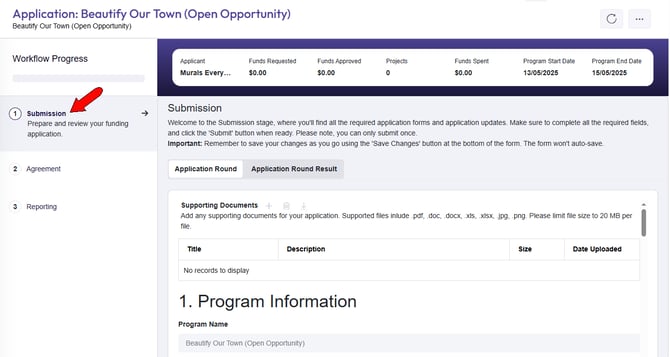
The first application step is Submission where you can start an application.